Claude Extra Usage Credit: How to Claim Free Credits on Pro, Max, and Team Plans

In early April 2026, Anthropic rolled out a limited-time promotion for Claude’s paid plans — a free Extra Usage Credit equal to one month of subscription fees, no strings attached. For heavy users who regularly hit their usage limits, this is a meaningful top-up. This post walks through how much credit each plan gets, how to claim it, and the caveats worth knowing.
What Is Extra Usage
Before we get to the credit, a quick primer on Claude’s Extra Usage mechanism. Claude’s paid plans (Pro, Max, Team) each come with a base usage limit. Once you hit it, you normally have to wait until the next billing cycle — unless Extra Usage is enabled. With Extra Usage turned on, anything beyond the base limit is billed pay-as-you-go against your payment method, so your workflow doesn’t get cut off.
This promotion gives you a free Extra Usage Credit that gets consumed first, before any actual charges hit your card. Think of it as a prepaid block of overage, on the house.
Credit Amount by Plan
The credit equals one month of the plan’s subscription fee:
| Plan | Monthly Fee | Free Credit |
|---|---|---|
| Pro | $20 | $20 |
| Max 5x | $100 | $100 |
| Max 20x | $200 | $200 |
| Team | $200 | $200 |
Effectively, Anthropic is giving existing subscribers an extra month of usage headroom. Max 20x and Team subscribers walk away with up to $200 in free credit.
Who Qualifies
To be eligible, you need to meet all of the following:
- You subscribed to Pro, Max, or Team before 9:00 AM PT on April 3, 2026
- Extra Usage must be enabled on your account
- You claim the credit before April 17, 2026 (PT) — after that, the offer closes
Note that Enterprise plans and Console (API) accounts are excluded from this promotion. No exceptions.
How to Claim
It’s a two-step process:
Step 1: Enable Extra Usage
If you haven’t already turned it on:
- Pro / Max users: go to Settings → Usage and enable Extra Usage
- Team admins: go to Organization settings → Usage and enable Extra Usage
Step 2: Click Claim
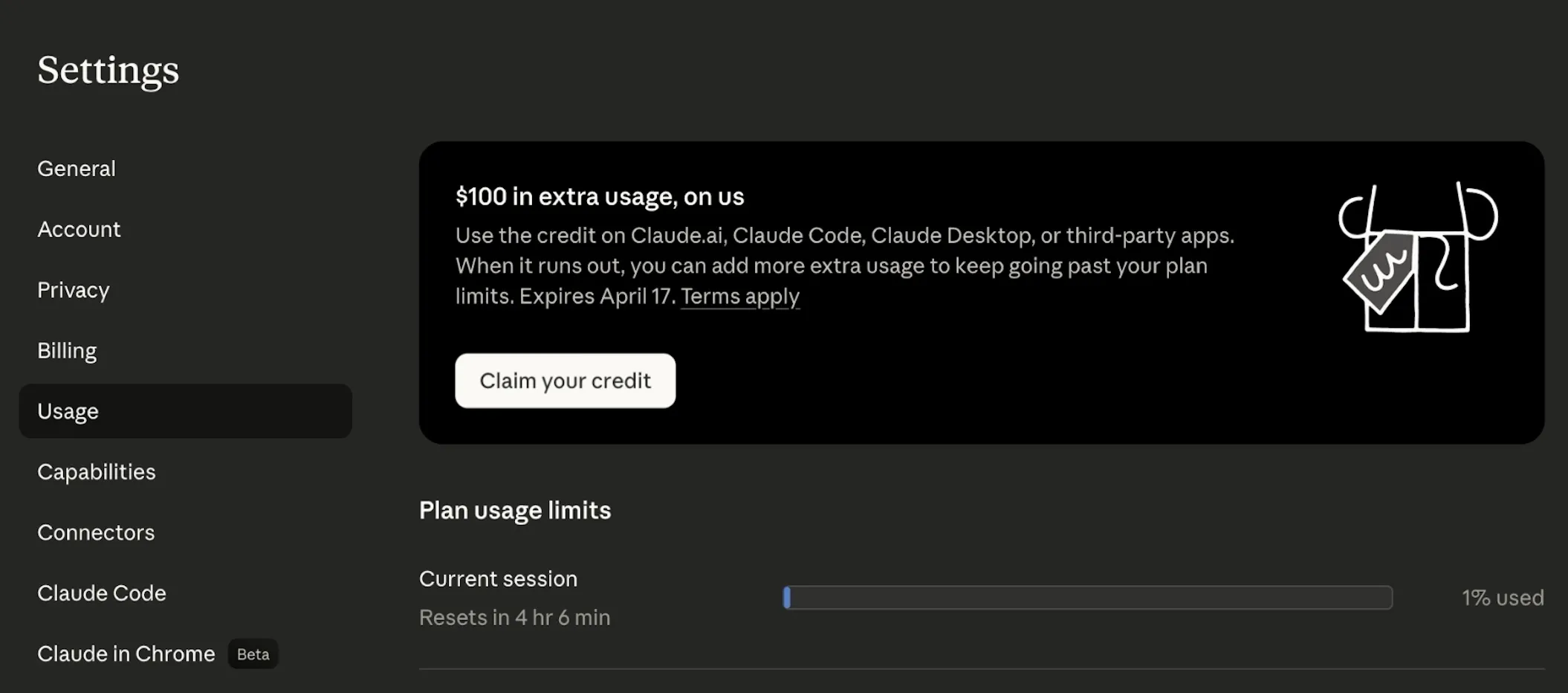
Once Extra Usage is enabled, visit the Usage settings page (https://claude.ai/settings/usage). A promotional banner will appear at the top — click the Claim button and the credit is added to your account immediately. No charges, no payment method involvement.
The claim window runs from April 3 through April 17, 2026. Miss the deadline and the offer’s gone.
Where the Credit Applies
The credit works across all Claude-branded products and services, including:
- Claude (claude.ai web and mobile apps)
- Claude Code (the terminal-based AI coding assistant)
- Claude Cowork
- Other third-party products authorized through your Claude plan
It applies to every model and feature available on your plan — no toggles or special configuration needed.
Expiration and Fine Print
A few easily missed details:
- 90-day expiration: the credit expires 90 days after you claim it; unused balance does not carry over
- Standard billing resumes after: once the credit is spent or expires, if Extra Usage is still enabled with auto-reload, overage is billed at standard pay-as-you-go rates
- Non-transferable: the credit is tied to your account and can’t be moved to another user
- Cannot stack: it doesn’t combine with other promotions or discounts
- No cash value: the credit only offsets Extra Usage charges — it can’t be redeemed for cash
- Web only: enabling Extra Usage and claiming the credit can’t be done from the Claude mobile app; use claude.ai in a browser
- Turning off auto-reload: if you don’t want Claude to auto-charge your card after the credit runs out, disable Auto-reload on the Usage page
If you’re already on a paid Claude plan, this credit is essentially free money and takes under a minute to claim. Claude Code power users — whose token consumption tends to run high — will get the most practical value. Don’t forget to hit the Usage page before April 17.